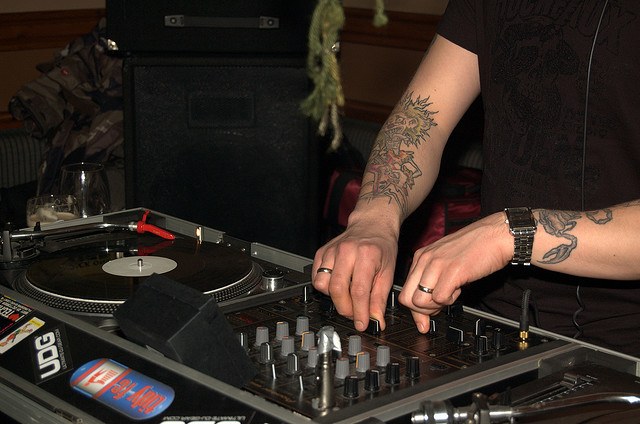
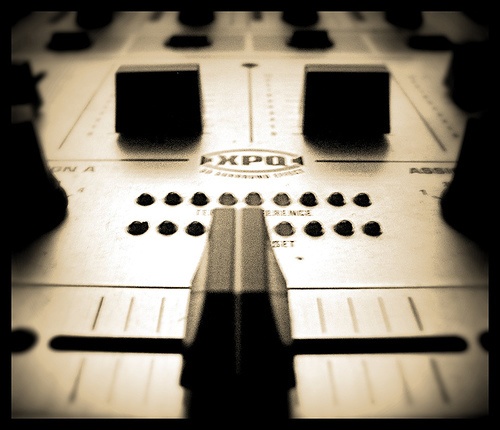
 Not sure where I’ve gotten this from, but when I was learning to mix, I would use the crossfader instead of the upfaders to make transitions between channels. In this approach, both tracks’ channel faders are open and you use the crossfader to smoothly transition from one channel to another.
26 comments

Hi
Just wondering what levels you have the voulme faders at when using the eq’s? Do you have both at around 75% when swapping highs and bases or channel A lower than channel B etc, or do you adjust the mids to effect volume of outgoing track A?

No, you don’t have to wait for both faders to be at around 75% to start EQing. I’m usually working the faders and the EQs simultaneously, i.e. I bring up fader A a little while taking B down a bit, the next moment I turn up A’s lows a notch while taking down B’s lows, and so on. As for the mids, I happen to use them rarely, it’s mostly just highs and lows for me.

If you’d like to know more about harmonic mixing check out our guide here: http://en.audiofanzine.com/getting-started/editorial/articles/harmonic-mixing-for-dummies.html
Thanks, we also got a pretty comprehensive guide right on this site: Harmonic Mixing.

well understood with this article, thanks a lot… 🙂

what is a instrumental chorus? do you just mean mix in track B after the break down and there’s a bass beat again? or do you mean mixing in track B when the outro starts?
Thanks
Hey David, I mean start B on A’s last chorus and do the transition during A’s outro. The article on track structure should come in handy, too.

Great tips!
Thanks for the step by step of a mix, very well explained 😀

Have one big issue. This tutorial is the best one i’ve ever seen, but my biggest doubt is that if I really have to start the new track at the beginning of the old’s instrumental chorus and then bring it in at the beginning of the outro? Is it not possible to mix on different points of a track without sounding messy?
It is possible, of course. It’s just easier to mix outros with intros when you’re just starting out.

thanks for the tips…. will definitely come back for more

What about long intro of the song? what do we do to cut the intro? what do we press? i know we cue up a song but how do we do it on a standard pioneer desk? do we press play then stop on beat? …
Hey Elizabeth, check out this article on CD cueing and beatmatching: https://www.djingtips.com/how-to-dj/how-to-beatmatch-using-cds/

i want to ask why do djs when they use the volume faders to mix they just increase the volume of track 2 until it meets the same volume as track 1 and then they push down track 1 volume fader at the end of the 32 beats.They do not meet the faders at 75percent.
Well, you do have to watch the master sound level to avoid clipping, and that’s a very real possibility if both faders are at 100%.

thanks for the tips….I’ve try out DJ software from http://www.djmixersoft.com , we will will definitely come back for more.

Ive been practising for a few months now and even recorded a few mixes but only now have i figured out what i was doing wrong. Thanks so much man! Ive been on the controller for about 3 hours non stop! Only question is, some tracks its hard to distinguish where the chorus ends and the instrumental begins… like techno tracks with no vocals. Is there any clues in the music that i should look for?
You’re welcome, Ross! A track section typically takes 8, 16 or 32 bars, so you can always count the bars in your head if you’re unsure. Check out my article on track structure for more pointers: https://www.djingtips.com/how-to-dj/track-structure/

JM, I would like to know the tips and tricks for beat-matching, some times it is so accurate and sometimes it will be very non syncing, I know we can adjust through jog wheel but I want to make it accurate by tapping play button, can you suggest me how?
Hi Farhana, the trick is that your beatmatching doesn’t have to be 100% accurate. It just has to give you enough time between the corrections to go on with your mix. I explain a great deal more in my upcoming Beatmatching Power course, make sure to check it out: https://www.djingtips.com/beatmatching-power/

I love it. I’m 63, used to DJ back in the 70’s and still have a bunch of 45’s and LP’s, so I’m thinking about getting back into it for some extra cash. I feel like now is a good time for vinyl playing Dj’s. It’s a great article. I have a lot of beatmatching practice ahead. Thanks for the tips!!
You’re welcome, John, and good luck!


By far the most comprehensive easy to understand for anyone wanting to DJ & learn seamless transitions. The tips are very practical. Here’s what worked for me.. I beatmatched the incoming track on my headphones and then lower Hi & the Mids by about 2/3rd & keep my Low totally zero.. And gradually bring up the fader on the incoming track. Once the new track is almost ready to take over I bring the lows up. This has helped me immensely to my unnatural sounding transitions in a matter of couple days. I can post a link if you like to check where I have come up the curve.
Thanks a bunch JM when I was frustrated & ready to hang up my boots!

Hi JM, It really very helpfull for unior DJ simple to application user , a have share with me many Thanks.

Hi, nice article but can’t see the whole table on mobile in awhen to start new track section